
Built for professional arborists
Plant health care, practiced like medicine.
PHC Rx replaces the notebook. You get a written diagnosis with a confidence rating behind it, a treatment plan matched to the species, and a prescription your client can approve, all built in the time it takes to walk the property.
No card up front · iOS · Android · Web


220+
species with complete treatments
138
pest & disease reference entries
6
label checks run on every prescription
2
apps, iOS and Android, built to work offline
Why PHC Rx
You can say how sure you are.
Every finding you log carries its own weight in the diagnosis. A confirmed sign counts for more than a general symptom. A positive identification counts for more still. The result is a confidence rating you can stand behind and explain, and when it reads low, PHC Rx tells you exactly what would raise it.
How it works
Diagnose. Prescribe. Treat.
01
Diagnose
Walk the property and answer five short steps: environment, symptoms, signs, positive ID. PHC Rx weighs what you found and shows you the reasoning behind every recommendation it makes.
02
Prescribe
Build the treatment plan from a library that covers 220+ species, with rate, timing, and delivery method already worked out and checked against the actual product label before your client sees it.
03
Treat
Send a client-ready prescription for approval, schedule the visit and its follow-ups, and record what was actually applied, so the file is complete before you leave the truck.
Straight from the app
These are real screens.
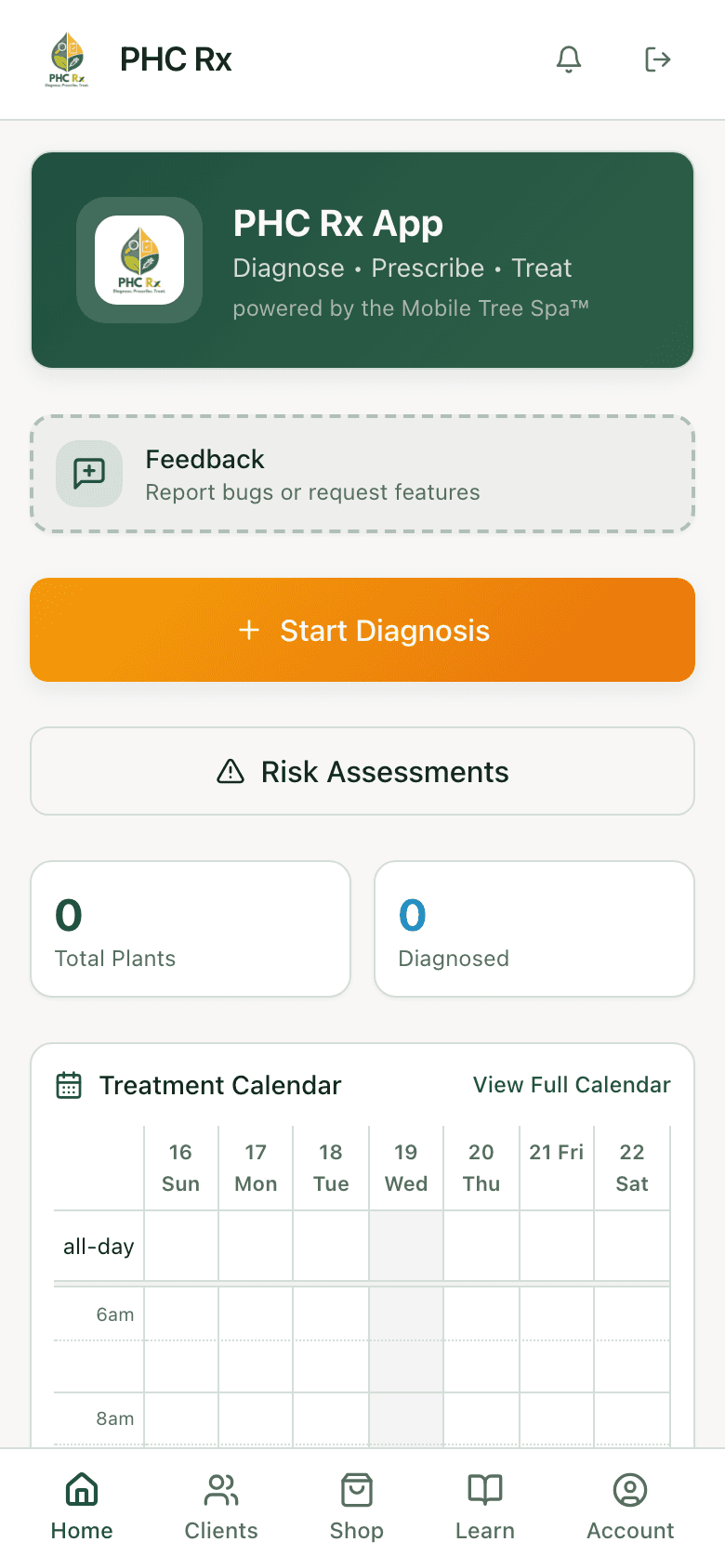
No mockups. What you see here is the iOS and Android app you would actually download: the timing guide, the pest library, the label shop, and the rest of what you use in the field.
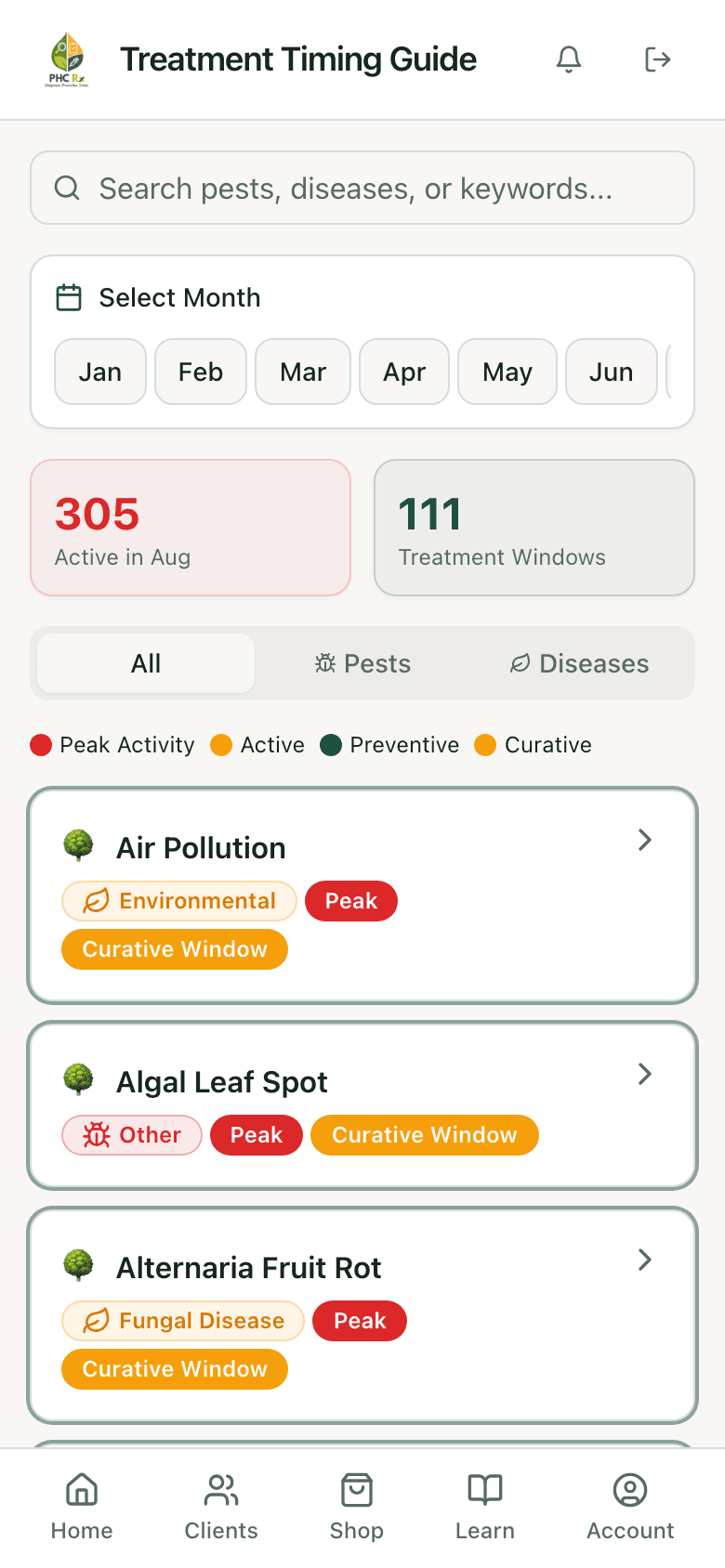
Timing guide
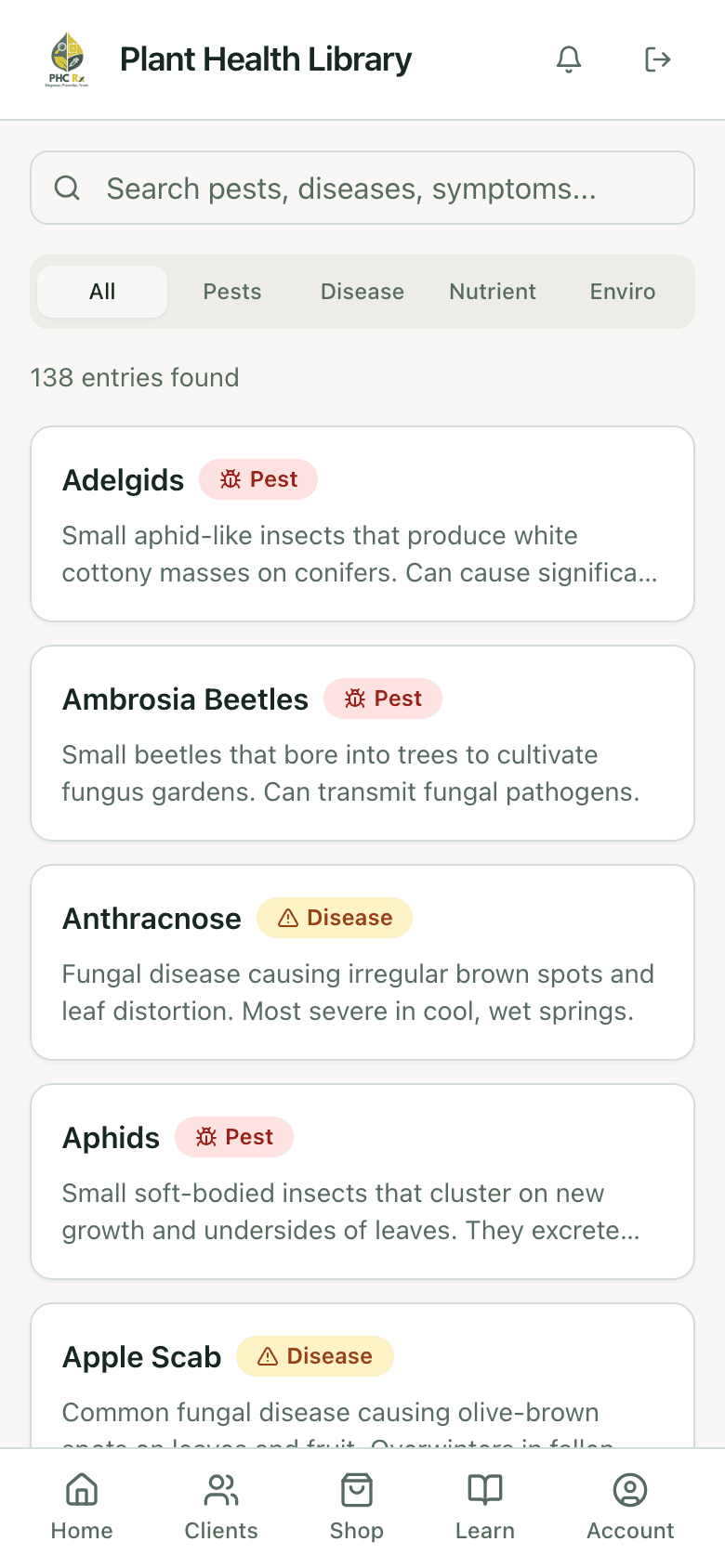
138-entry library
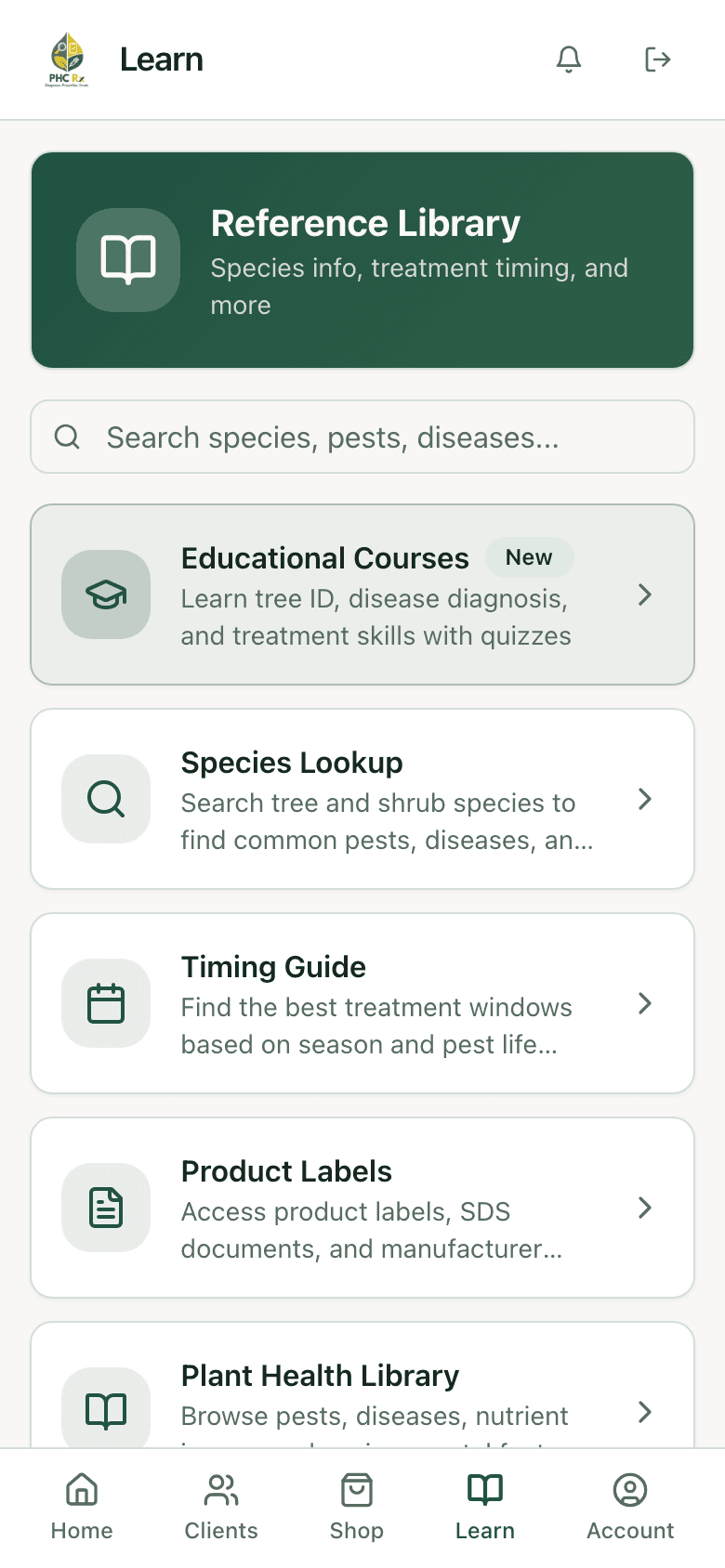
Courses & reference
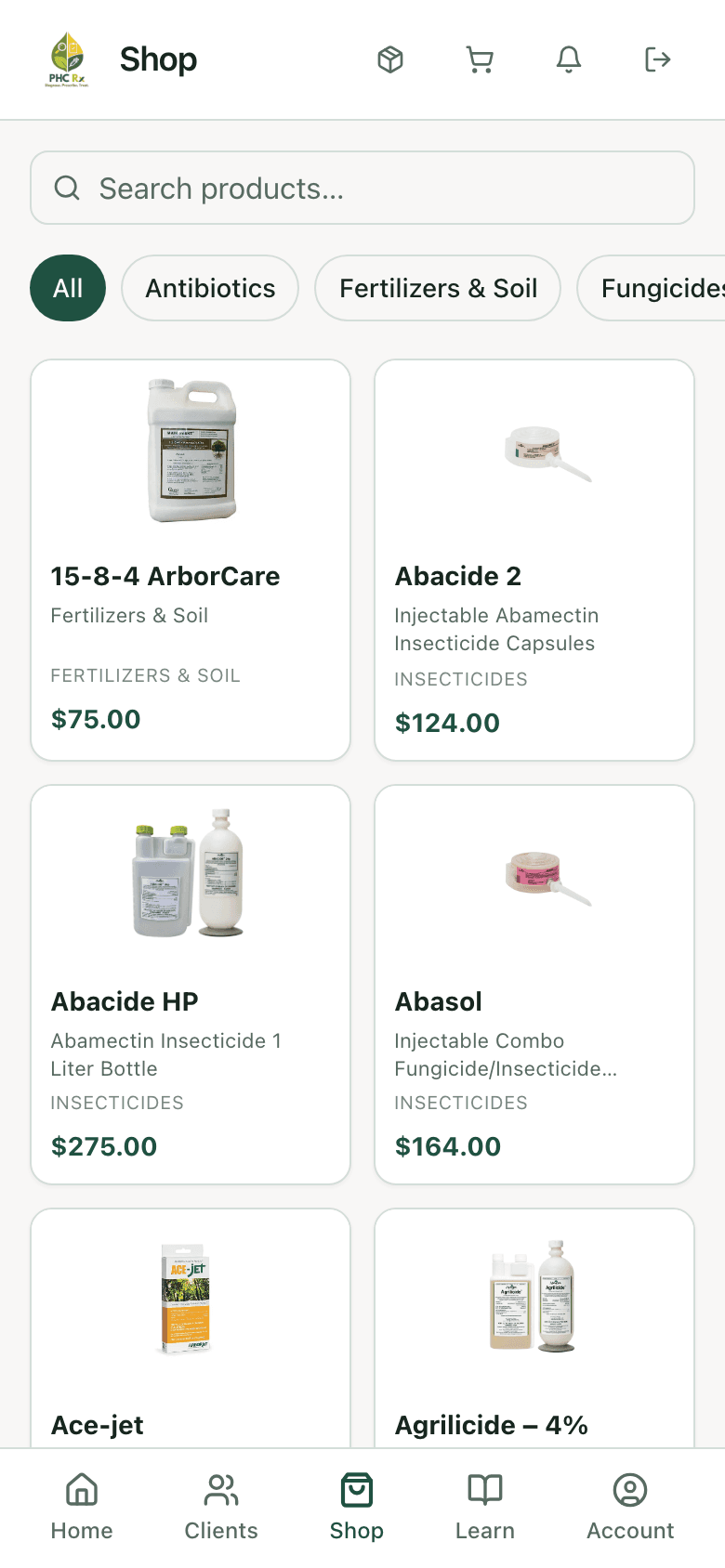
In-app shop
Guided diagnosis
A diagnosis you can defend.
Five short steps: environment, symptoms, positive ID, signs, diagnosis. Every piece of evidence is weighted as you enter it. The confidence rating reads high, medium, or low, says why, and tells you exactly what would raise it.
How diagnosis worksDiagnosis — 12 Oak Ridge Ln
Confidence 86%Add a second positive ID to raise confidence above 90%.
Prescriptions & reports
A document your client can actually approve.
A prescription is the quote and the work order at once: products, dosing, priced services, schedule, and technician. Your client opens one link, no account, no password, and approves or declines. A decline asks for a reason, which is worth more to you than the approval was.
How prescriptions workPrescription — sent to client
Awaiting approvalApproved or declined through one link. No account needed on the client's end.
Label compliance
The label is the law. PHC Rx reads it first.
Before a prescription goes out, six checks run against the registered product label: target pest, host species, timing window, delivery method, reapplication interval, and geographic restrictions. You can override a warning when your expertise calls for it. What you can’t do is proceed without a record that you knew.
See the six checks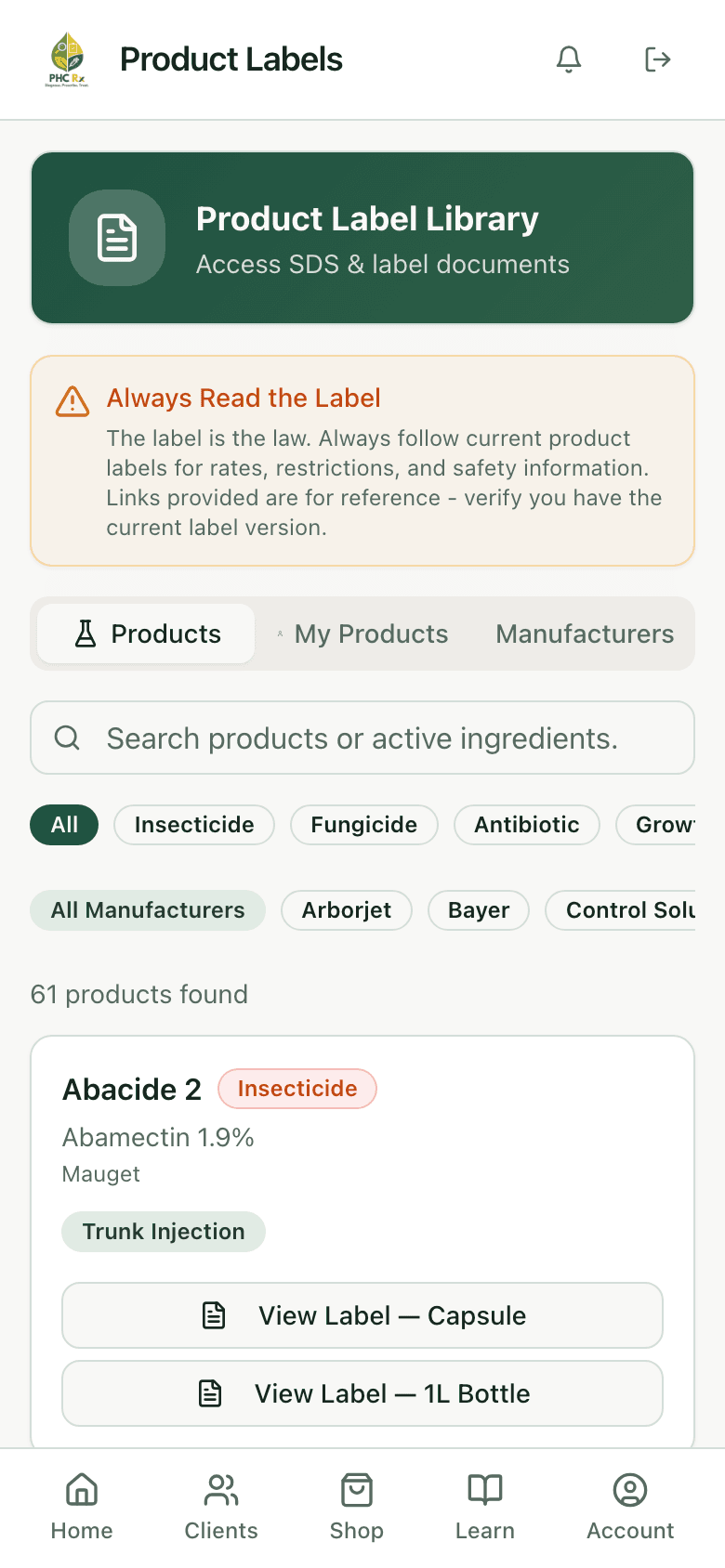
Scheduling & follow-ups
The calendar remembers so you don’t have to.
Pick a treatment and the follow-up visits go on the calendar by themselves, spaced the way that product calls for. Working-day limits and a cap on jobs per day keep the calendar honest about what the crew can actually reach, and reminders go out ahead of every date.
Scheduling in detailTreatment schedule — 12 Oak Ridge Ln
4 visits queuedWorking days and a per-day job ceiling keep the calendar honest about what the crew can reach.
Treatment library
220 species, each with a full treatment.
Every species lists what attacks it, and every pest and disease comes with a complete treatment: product, rate, timing, delivery method, and repeat interval. Behind it sit 138 reference entries written to be read out loud to a client standing next to the tree.
Inside the treatment library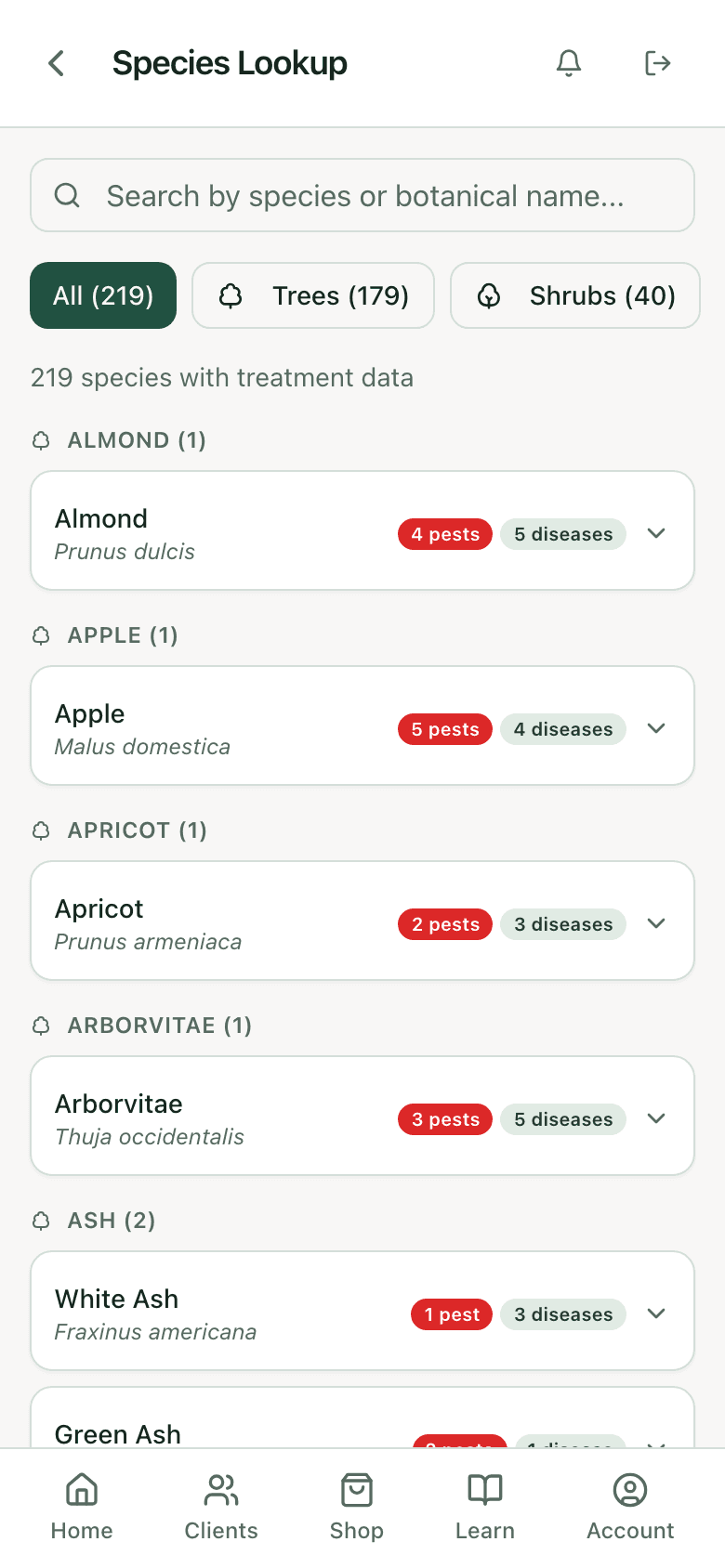
Also inside
One subscription, the whole practice.
On the job site
Built for the truck, not the office.
The iOS and Android apps carry everything: camera, GPS pins, and records that keep working with no signal, then upload themselves when you get back in range.
How it holds up in the field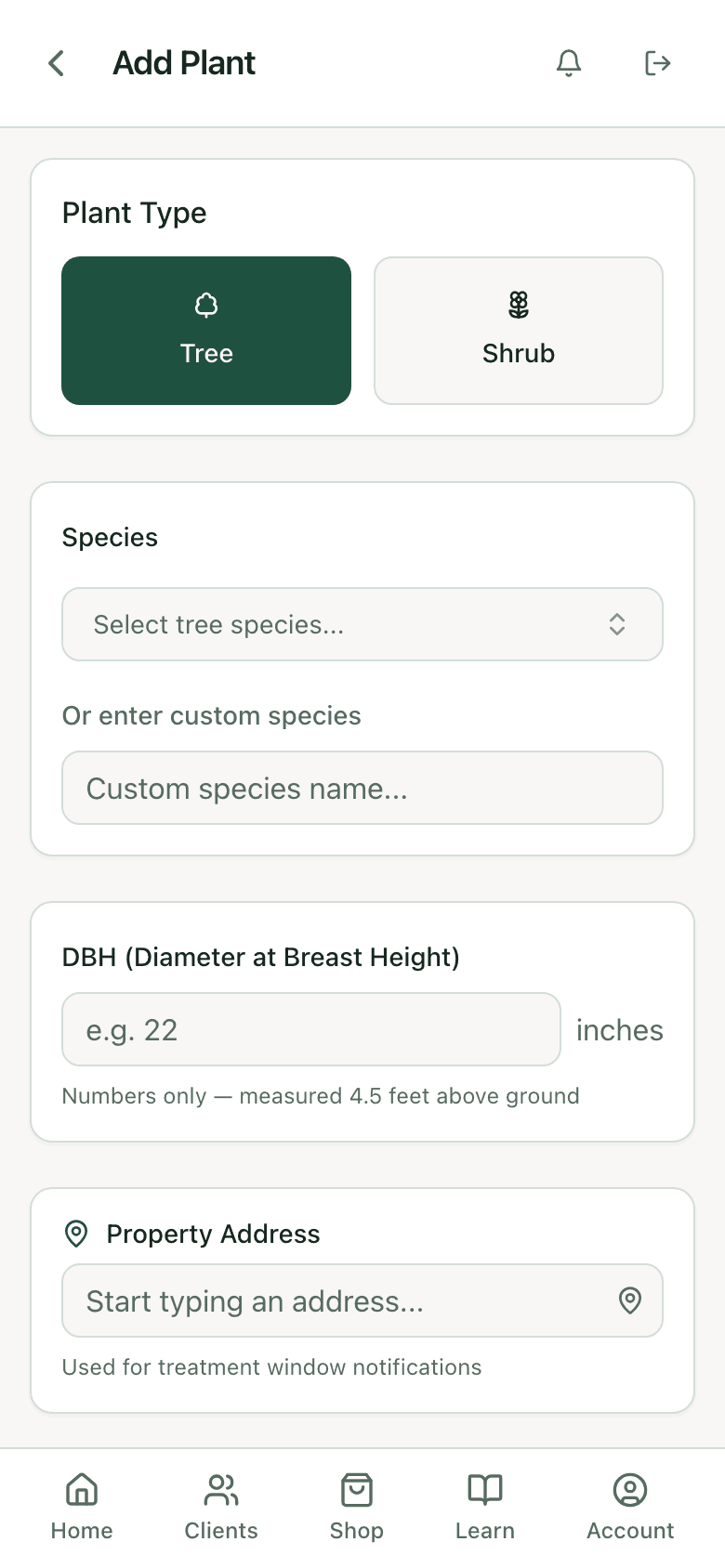
From the field
What crews say.
Placeholder — a quote about turning a walk-around into a documented diagnosis the client actually understood.
Placeholder — a quote about the label compliance check catching something before it became a problem.
Placeholder — a quote about a client approving a prescription from one link the same afternoon.
Pricing
Priced by crew size.
Every plan includes everything. No diagnosis limits, no report limits, no feature held back to sell you the next tier.
PHC Solo
$99/mo
1 seat
Most popular
Teams 5
$199/mo
up to 5 seats
Teams Unlimited
$699/mo
unlimited seats
Questions
Before you ask.
Does it work without a signal?
Yes. Plant records still open, photos still save, and new diagnoses hold on the phone until you get a bar again, then everything uploads on its own. The back half of a property is not a good place to find out an app needs the internet.
Do my clients need an account to approve a prescription?
No. They open one link, see the branded document, and approve or decline. A decline asks for a reason.
What if a species isn’t in the library?
Log it as a custom species and keep working, then request that it be added. No waiting on a release to finish the job in front of you.
Is there a free trial?
Every new account gets 7 days free, with no card taken up front and nothing held back during the trial.
Does it replace my field management software?
It runs alongside it. The Jobber connection keeps clients, quotes, and jobs matched up in both directions, and if you use something else, we can usually connect to that too.